Are you looking to power your devices using clean, reliable energy? Connecting a solar panel to a power station is a smart way to do just that.
But if you’re unsure where to start or worried about making mistakes, you’re not alone. This guide will walk you through simple, clear steps to get your solar setup running smoothly. By the end, you’ll feel confident harnessing the sun’s energy to keep your power station charged and ready whenever you need it.
Keep reading to discover how easy and rewarding this process can be!
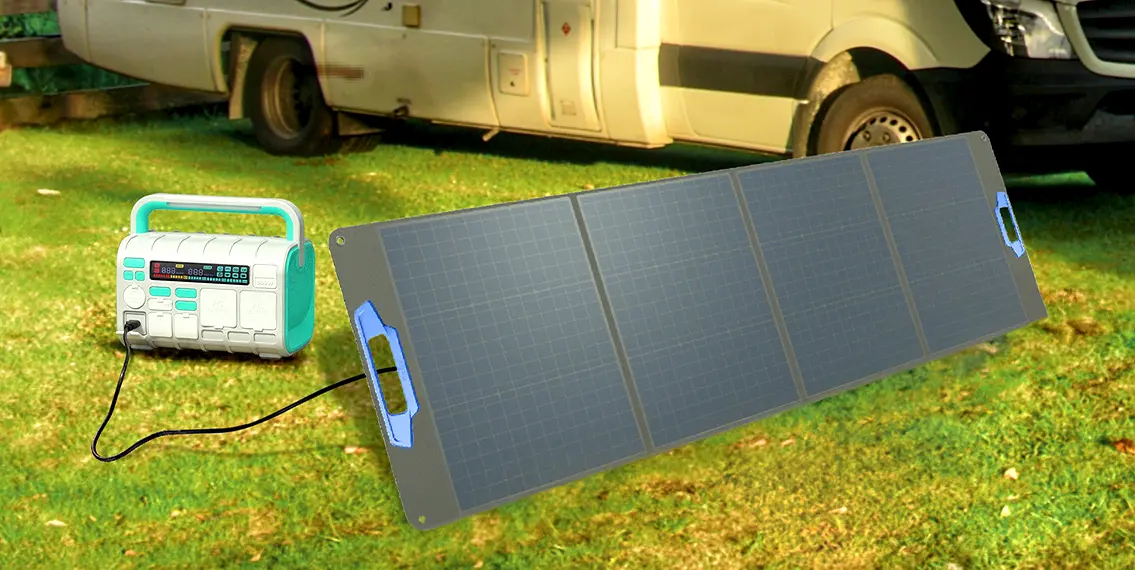
Credit: tursan-pps.com
Choosing The Right Solar Panel
Choosing the right solar panel is key to powering your station effectively. The right panel saves energy and works well with your power station. This choice affects how much power you get and how long it lasts. Understanding types, power ratings, and compatibility helps you pick the best solar panel.
Types Of Solar Panels
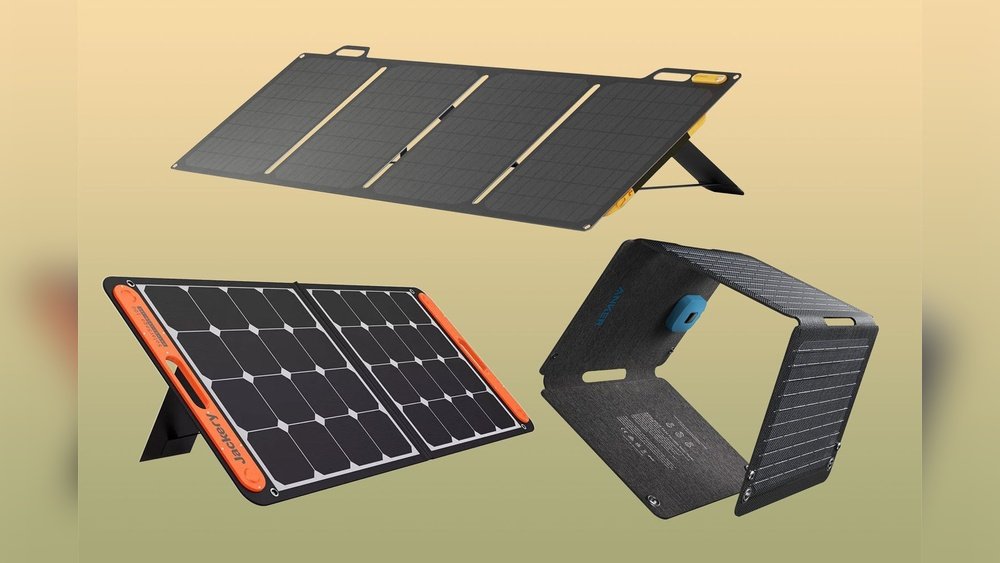
Solar panels come in three main types: monocrystalline, polycrystalline, and thin-film. Monocrystalline panels are the most efficient and last long. Polycrystalline panels cost less but have slightly lower efficiency. Thin-film panels are flexible and lightweight but use more space. Your choice depends on space, budget, and power needs.
Power Ratings And Efficiency
Power rating shows the maximum output a solar panel can produce. It is measured in watts (W). Efficiency tells how well a panel converts sunlight into electricity. Higher efficiency means more power from less space. Check the power rating and efficiency to match your power station’s needs.
Compatibility With Power Stations
Not all solar panels fit every power station. Check voltage and current limits of both devices. Look for matching connectors or use adapters safely. Ensure the panel’s output matches the input of your power station. This prevents damage and improves performance.

Credit: www.elvalordelaeducacionfisica.com
Selecting A Suitable Power Station
Selecting a suitable power station is a key step in connecting your solar panel. It affects how well your system works and how long it lasts. Picking the right power station means checking important features. These features include battery size, output power, input ports, and how easy it is to carry. Understanding these points helps you choose a power station that fits your needs perfectly.
Battery Capacity And Output
Battery capacity shows how much energy the power station can store. Bigger capacity means it can power devices longer. Check the output power too. It tells how many devices and what types the station can run at once. Match the capacity and output with your solar panel and devices. This match ensures steady and reliable power supply.
Input Ports And Connectors
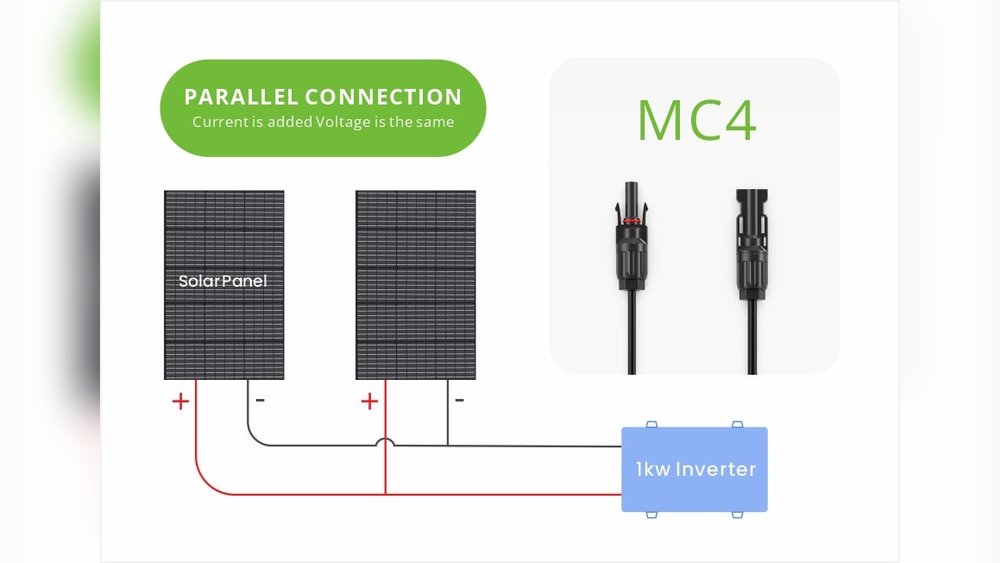
Input ports let you connect the solar panel to the power station. Look for compatible ports like MC4, USB, or DC connectors. The right connectors make the setup easier and safer. Some power stations have multiple input options. This feature helps if you want to add more solar panels later.
Portability And Usage Scenarios
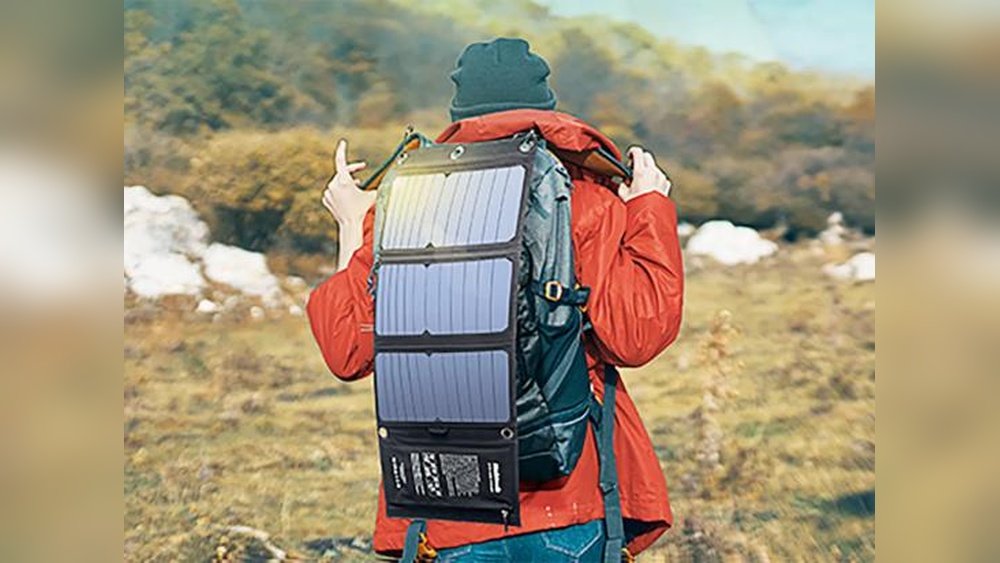
Think about where and how you will use the power station. Portability matters if you plan to carry it outdoors or on trips. Lightweight and compact models are best for travel. For home use, size might be less important. Choose a power station that fits your lifestyle and use cases well.
Gathering Necessary Accessories
Gathering the right accessories is the first step to connect a solar panel to a power station. Each part plays a key role in ensuring a safe and efficient setup. Missing or wrong accessories can cause poor performance or damage. Prepare everything before starting the connection process.
Cables And Connectors
Cables carry electricity from the solar panel to the power station. Use cables with the right thickness to handle the current safely. Connectors join cables and devices securely. Choose connectors that match your solar panel and power station ports. Avoid loose or damaged connectors to prevent power loss.
Adapters And Charge Controllers
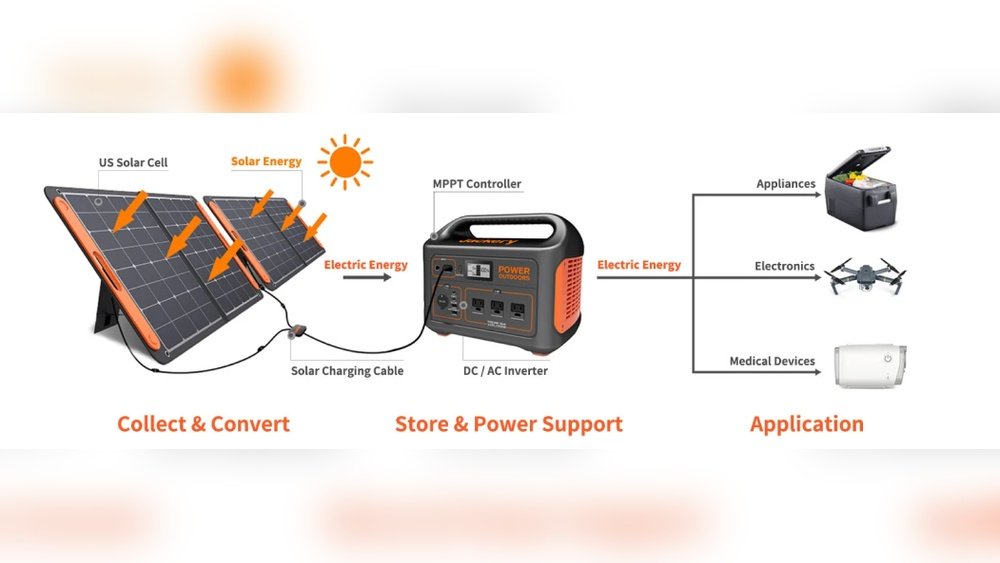
Adapters help fit different connectors between the solar panel and power station. Use the correct adapter to avoid connection problems. A charge controller is essential to protect the power station battery. It controls the charging rate and stops overcharging. Select a charge controller compatible with your solar panel’s voltage.
Safety Equipment
Safety gear protects you and your devices during installation. Use insulated gloves to avoid electric shocks. Safety glasses protect eyes from sparks or debris. Have a fire extinguisher nearby in case of emergencies. Follow safety rules strictly to prevent accidents and damage.
Preparing The Solar Panel
Preparing the solar panel is a key step before connecting it to a power station. Proper preparation helps the panel work well and last longer. It also ensures the best energy output from sunlight. Focus on three main tasks: cleaning and inspection, positioning for sunlight, and securing the panel. These steps set a strong base for your solar setup.
Cleaning And Inspection
Start by cleaning the solar panel surface gently. Dust, dirt, and bird droppings reduce sunlight absorption. Use a soft cloth or sponge with water. Avoid harsh chemicals or abrasive materials. After cleaning, inspect the panel for cracks or damage. Check the wires and connectors for wear or corrosion. Fix any problems before moving on.
Positioning For Maximum Sunlight
Place the panel where it gets direct sunlight all day. Avoid shadows from trees, buildings, or other objects. The panel should face south in the northern hemisphere. Adjust the angle to match your location’s latitude. This helps the panel catch the most sunlight. Good positioning boosts energy production.
Securing The Panel
Secure the panel firmly to prevent movement or damage. Use mounting brackets or stands designed for solar panels. Tighten all screws and bolts properly. Make sure the panel is stable against wind and weather. A secure panel stays in place and works efficiently over time.
Connecting Solar Panel To Power Station
Connecting a solar panel to a power station is a key step in using solar energy. This process allows you to store solar power safely and use it when needed. Understanding how to make the connection properly helps protect your devices and ensures efficient charging. Simple steps can make this task easy and safe for beginners.
Matching Connectors
Check the connectors on both the solar panel and power station. They must fit together without forcing. Use adapters if the connectors do not match. Correct connectors prevent power loss and damage. Always use connectors designed for solar power systems.
Using Charge Controllers
A charge controller regulates the energy flow from the solar panel. It stops overcharging and protects the battery in the power station. Connect the solar panel to the charge controller first. Then connect the controller to the power station. This step improves battery life and safety.
Establishing Secure Connections
Secure all connections tightly to avoid loose contacts. Loose wires cause power drops and can be dangerous. Use insulated tools to make connections safer. Check each wire for damage before connecting. Secure connections help maintain steady power flow and protect your equipment.

Credit: solarmagazine.com
Monitoring Charging Process
Monitoring the charging process is a key step when connecting a solar panel to a power station. It helps ensure your setup works correctly. You can see how much energy your solar panel produces and how much the power station stores.
Regular checks help avoid damage to your equipment. They also improve charging efficiency. Small actions during monitoring can save time and increase battery life.
Checking Power Station Indicators
Power stations usually have lights or screens showing charging status. Look for green or blue lights that mean charging is active. A red or blinking light may indicate a problem. Check the screen for voltage or battery percentage. These numbers tell you how much power the station holds.
Adjusting Panel Angle
The angle of your solar panel affects charging speed. Move it to face the sun directly for best results. Change the tilt to match the sun’s height in the sky. Adjust the panel a few times a day if possible. This keeps the solar panel getting the most sunlight.
Troubleshooting Common Issues
If charging stops or is slow, check cable connections first. Make sure all plugs are secure and clean. Dirt or loose wires can block power flow. Check for shade or dirt on the solar panel surface. Clean the panel with a soft cloth if needed. Reset the power station by turning it off and on. If problems continue, consult the user manual for guidance.
Safety Tips And Precautions
Connecting a solar panel to a power station requires care and attention. Safety is the top priority. Following proper safety tips and precautions helps avoid accidents and damage. This section highlights key safety points to keep you protected during setup.
Avoiding Electrical Hazards
Turn off all power sources before starting any work. Use insulated tools to reduce the risk of shock. Never touch wires with wet hands or while standing on wet ground. Check cables and connectors for damage. Replace any worn or frayed parts immediately. Keep children and pets away from the work area.
Handling Equipment Properly
Lift solar panels carefully to avoid dropping or breaking them. Hold panels by the frame, not the glass surface. Store equipment in a dry and clean place. Wear gloves to protect your hands from sharp edges. Follow the manufacturer’s instructions for all devices and tools. Avoid forcing connectors or cables into ports.
Weather Considerations
Install panels during dry weather only. Rain or snow can cause short circuits and slipping hazards. Avoid strong winds that may move or damage panels. Check the weather forecast before starting your work. Wait for calm conditions to ensure safe and steady installation. Protect equipment from dust and moisture throughout the process.
Maintaining Solar Power Setup
Maintaining your solar power setup is key to keeping it efficient and safe. Dirt, dust, and loose connections can reduce power output. Regular care helps your system last longer and work better. Simple steps can protect your investment and ensure steady power supply.
Regular Cleaning
Clean solar panels often to remove dust and grime. Use a soft cloth or sponge with water. Avoid harsh chemicals that can damage the surface. Clean panels catch more sunlight and produce more energy. Check for bird droppings and leaves that block sunlight. Cleaning early in the morning or late afternoon is best.
Inspecting Connections
Check all cables and plugs for loose or damaged parts. Tighten any loose screws or connectors. Look for cracks or wear in wires. Faulty connections can cause power loss or safety issues. Inspect your setup monthly to catch problems early. Replace damaged parts right away to keep the system safe.
Storage And Transport Tips
Store solar panels in a dry, cool place when not in use. Avoid stacking heavy items on top of them. Use protective covers to prevent scratches and dust buildup. Carry panels carefully to avoid bending or cracking. Secure cables to prevent tangling or damage. Proper storage and handling extend the life of your solar power setup.
Frequently Asked Questions
How Do I Connect A Solar Panel To A Power Station?
To connect, first check compatibility between your solar panel and power station. Use appropriate cables to link the panel’s output to the power station’s input. Ensure connections are secure and polarity is correct to avoid damage. Finally, place the solar panel in direct sunlight for optimal charging.
What Equipment Is Needed For Solar Panel Connection?
You need a compatible solar panel, a power station with input ports, and correct cables or adapters. Optional items include a solar charge controller to regulate power and prevent overcharging. Always use equipment designed for your specific solar panel and power station models.
Can Any Solar Panel Power Any Power Station?
No, not all solar panels suit all power stations. Check voltage and wattage compatibility first. Using mismatched devices can cause inefficient charging or damage. Always refer to manufacturer specifications to ensure safe and effective connections between your solar panel and power station.
How Long Does It Take To Charge A Power Station?
Charging time depends on solar panel wattage, sunlight intensity, and power station capacity. Higher wattage panels and strong sunlight reduce charging time. Typically, it takes several hours to fully charge a medium-sized power station under optimal conditions.
Conclusion
Connecting a solar panel to a power station is easier than you think. Follow each step with care and patience. Check all connections to keep everything safe and working well. Solar power helps save energy and money over time. Enjoy clean, renewable energy right at your home or campsite.
Keep learning and practicing to get better results. Simple, smart energy solutions can make a big difference. Start small, stay safe, and power up with solar today.